
Search HUB with the command palette
Use the Cmd+K / Ctrl+K command palette (Jump to… search) to find pages, recently visited memberships and quick actions like New Reservation or Log Out. Covers keyboard shortcuts, opening results in a new tab, and what to do when there are no matches.
The command palette lets you jump to any page in HUB by typing its name.
Open the command palette
- Press Cmd+K on a Mac or Ctrl+K on Windows. You can also select Jump to… at the top of the sidebar.
- Start typing, for example "membership" or "reservation".
- Use the up and down arrow keys to highlight a result.
- Press Enter to open it. Press Cmd+Enter to open it in a new tab.
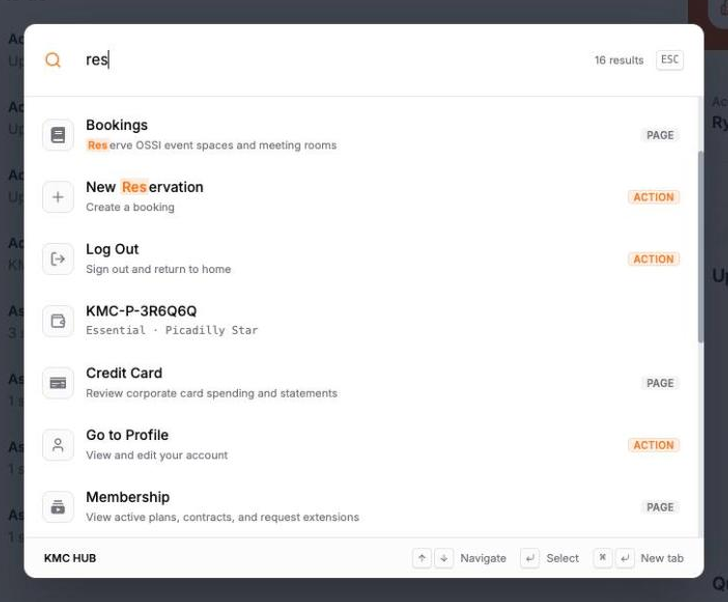
Press Esc to close the palette without choosing anything.
What can I find?
- Pages you have access to, such as Dashboard, Reservations or Membership.
- Recent items, such as memberships you opened lately, so you can jump back.
- Suggested destinations when you haven't typed anything yet.
- Actions such as New Reservation, Toggle Sidebar, Go to Profile and Log Out.
Why don't I see any results?
If you see "No matches", try a different or shorter keyword. The palette only lists pages your role can open, so a page you can't access won't appear. You can also browse from the sidebar.