
Show your Digital ID
Open your KMC Digital ID card with QR code in HUB to identify yourself on site. Explains where to find Digital ID in the user menu, what the card shows, and why the option may be missing.
On this page
Your Digital ID is a card with your photo, name, email and a QR code linked to your booking.
Open your Digital ID
- Select your name at the bottom of the sidebar.
- Select Digital ID.
- Your Digital ID card opens. Show it when asked.
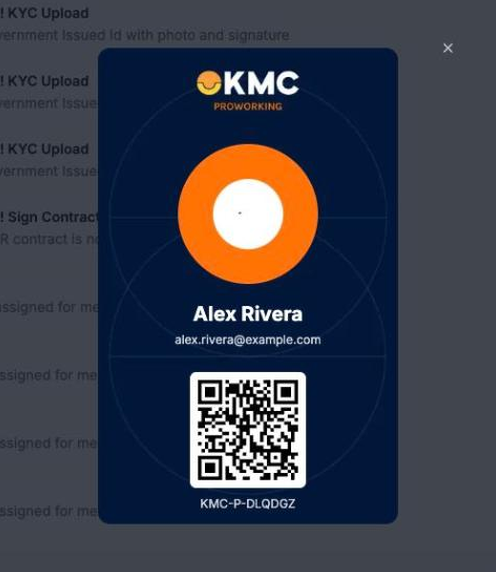
Note: The card uses your profile photo. To change it, see Change your profile photo.
Why don't I see Digital ID?
Digital ID appears in the menu only when one is available for the business you're viewing. If you manage more than one business, check that the right one is selected. If it's still missing, contact Client Services.