
Request an official receipt
Request a BIR-stamped official receipt (OR) for a paid invoice in HUB. Explains where the Request OR button is, how long it takes, where the receipt is sent, and why you might not see the option.
You can request an official receipt (OR) for any invoice that's fully paid. The OR is sent to your membership's billing email.
Before you start
- The invoice must show Paid. Unpaid invoices don't have the option. See Pay an invoice.
- Check that the billing email on your membership is correct. That's where the OR goes.
Request an OR
- Open the paid invoice. See Find and download your invoices.
- Find the Need an Official Receipt? box on the right.
- Select Request OR.
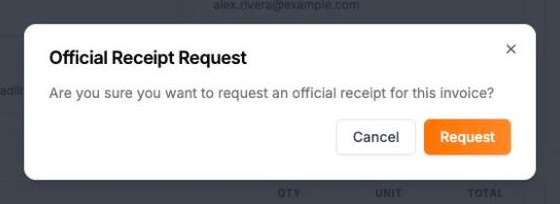
- In Official Receipt Request, select Request.
- A message confirms the request was sent.
What happens next
The box changes to show that the OR was requested. Your BIR-stamped OR is sent to your billing email within 2 business days.
Why can't I see Request OR?
- The invoice isn't paid yet. The option appears only after the invoice shows Paid.
- The OR was already issued. Once issued, the box no longer shows. Check your billing email.
- You already requested it. The box shows the request status instead of the button.
If the OR doesn't arrive after 2 business days, or you need a receipt with different details, email the billing team at billing@kmc.solutions.