
Pay an invoice
Pay or settle outstanding invoices in HUB from your membership's Overview tab with Pay Now, using the card on file, or by bank transfer. Covers the Confirm payment step, partial failures, and what to do if a payment is declined.
On this page
You pay outstanding invoices from the membership they belong to. HUB charges the card saved on that membership.
Before you start
- You need access to Membership in the sidebar. If you don't see it, ask your company's HUB admin.
- Your membership needs a card on file. If it has none, HUB asks you to add one before it charges anything.
Pay outstanding invoices
When a membership has unpaid invoices, its Overview tab shows a card with the total and how many invoices are left to settle.
- Select Membership in the sidebar.
- Select the membership with the unpaid invoice.
- On the Overview tab, find the card marked Action required.
- Select Pay Now.
- Check the amount and the card shown in Confirm payment.
- Select Pay Now to charge the card. A message confirms when all invoices are paid.

Warning: Pay Now charges every outstanding invoice on the membership in one go, and it can't be undone. Check the total before you confirm.
Some memberships show Pay or Continue Subscription instead. That button takes you to a secure checkout page to finish the payment, then brings you back to HUB.

If you don't have a card on file
If you select Pay Now without a saved card, HUB shows Add a payment method first. Select Add payment method, add your card, then select Pay Now again.
Pay by bank transfer
If your membership is set up for bank transfer, the Billing & payment card on the Overview tab shows Bank transfer and a Wire to section. Use the bank, account, and reference details shown there. You can copy the account number, Swift code, and reference with the copy buttons.
If your payment is declined
If the charge fails, HUB shows which invoices were paid and which failed, with the reason from your bank. Wait a few minutes and try again, or add a different card first.
Warning: Don't retry the same card many times in a row. Repeated attempts can make your bank block further charges for a while.
For more help, see Why was my payment declined?.
What happens next
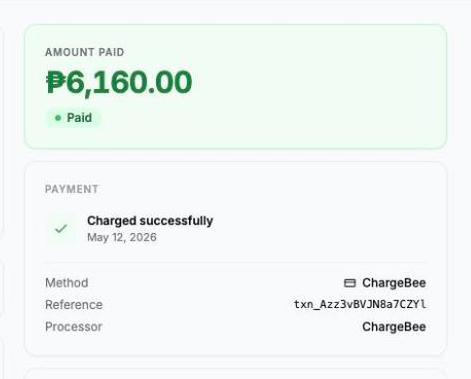
The invoice status changes to Paid. Open the invoice to see the payment method and reference. You can then request an official receipt.
See also: Update your membership payment method.